




This might feel like deja vu.
At least once, you must have looked up a product online to find three or more versions of it – one with no image, another with the wrong size, and another showing “out of stock” everywhere.
So, if you didn’t know, that’s not “bad luck.” In retail, we call it bad data.
And companies suffer more than customers due to this. When a company’s product information is clean and standardized, everything else just falls in line.
Like it would help listings go faster, customers land on the right product pages, and teams use their potential in the right areas.
In fact, several retail surveys proved that retailers who have access to structured product data see 35% faster time-to-market and 20% fewer order returns.
And can you guess what makes this possible? Item Master Data Management.
Today, we will learn what exactly it is and the best ways to implement it.
If you stick around by the end of this blog, I’ll also provide a retail-ready checklist for you to use for your company.
Now, let’s get started.

What is Item Master Data?
Let’s start with the basics.
In simple terms, the Item Master Data of your company is like the DNA of every product you sell. It includes every detail, starting from the SKU number to the brand name to its color, size, dimensions, price, and image.
This data is the single source of truth, and it should be like every other system, like your ERP, warehouse systems, POS, e-commerce platforms, and even marketplace listings would pull product information from it.
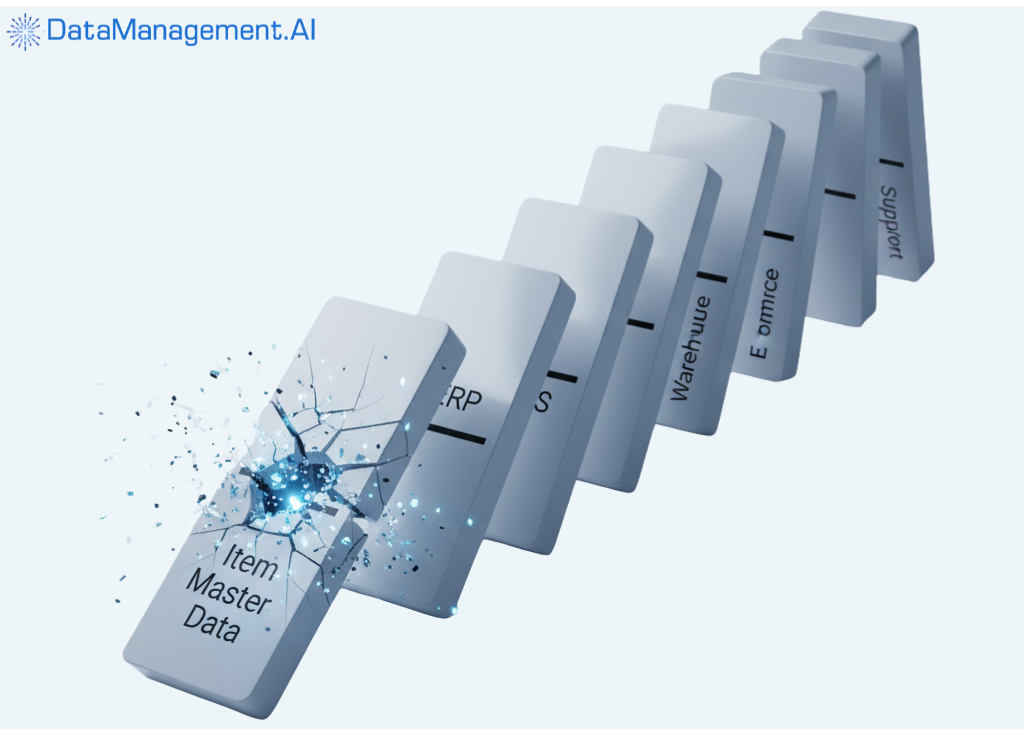
But the moment it gets messy, every channel in your supply to production and delivery will start reflecting different versions of the same order.
Here’s an example to explain this better:
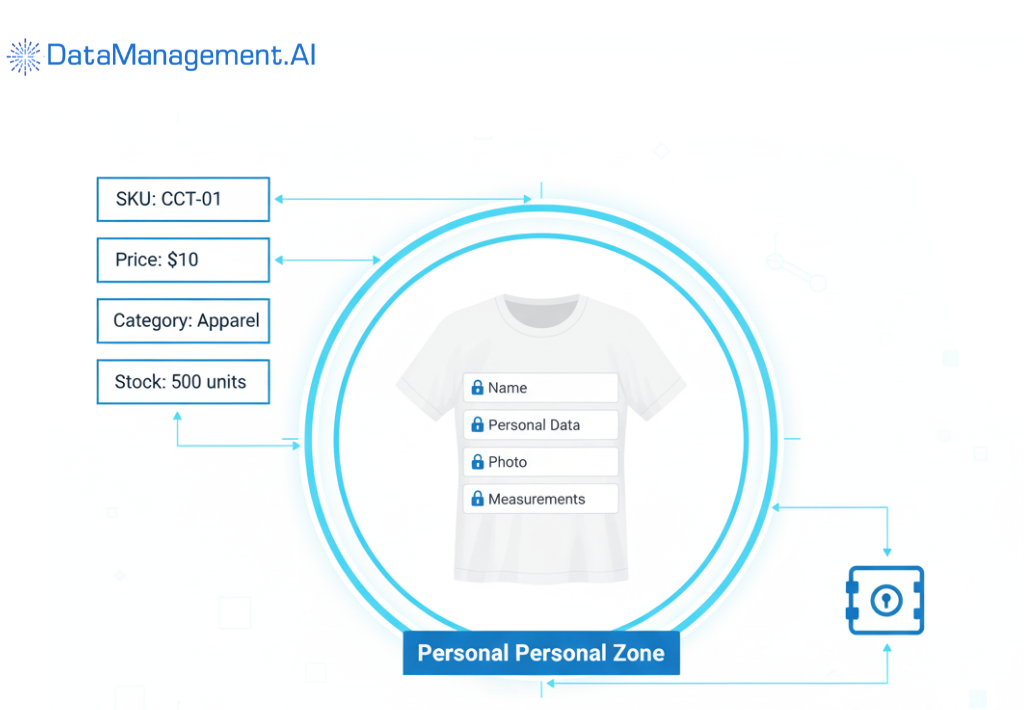
Suppose you’re selling a “Classic cotton tee” at $10. But as there’s no Master Data, your ERP lists it as “CCT-01” at $15, and the website is reflecting it as “Classic cotton tee” at $11.
Now, if someone places an order for the same tee, imagine the chaos it would create in the backend. Your inventory counting won’t line up, as it’s unclear which product went out; the pricing mismatch will show up as an issue for the sales department, and your support team won’t know where to begin fixing the issue.
So, if you ever think that you don’t need an Item Master Data, close your eyes and imagine the chaos I just described.
What are the systems that hold it together?
So, in a world with no tech, an Item Master Data would have been ideally created and managed by procurement, sales, marketing, and logistics teams. But all of them usually have tons of members and almost no time to take up the extra work.
That’s why, if all this is done manually, each department would have its own version and no one would know which is the correct one.
Thus, the following systems support an Item Master Data Management tool.
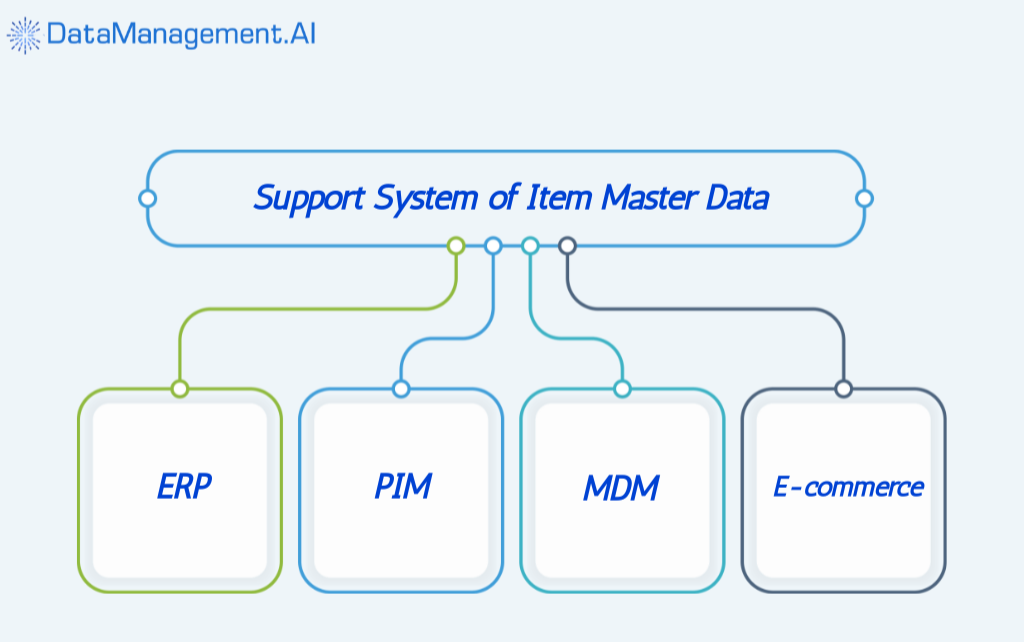
Now, let’s learn about each layer:
ERP
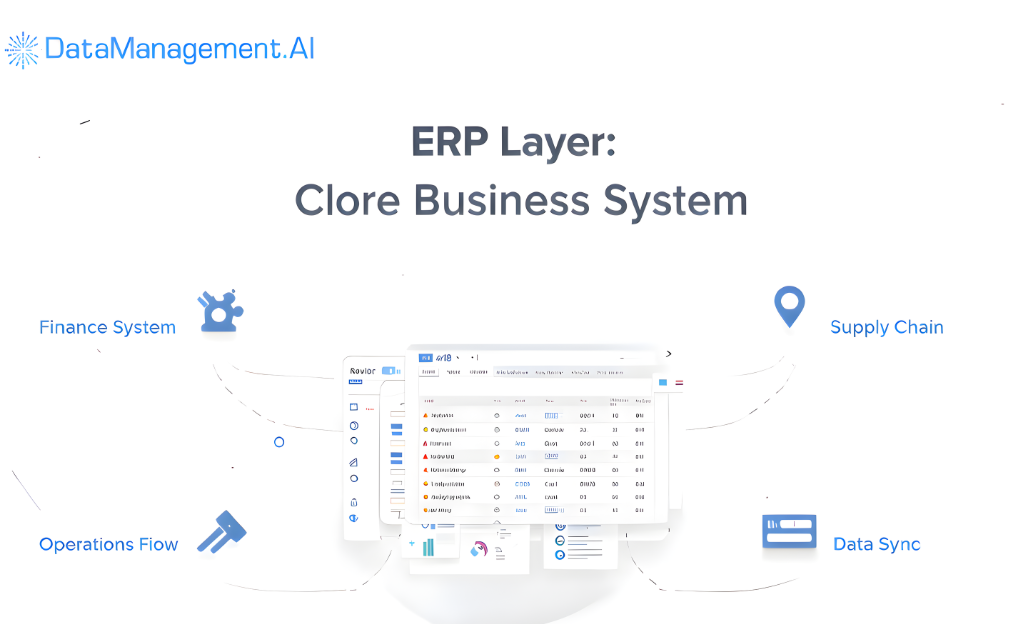
This is the Enterprise Resource Planning (ERP) layer, and via this, the product first enters your company’s system.
And this is usually only crucial for the core support system of your company, like the finance, accounting, operations, and supply chain, as it contains information like product code, supplier details, cost price, tax category, stock levels, etc.
However, it will not provide details on why your product is better than the competitor’s. That is where the PIM layer is needed.
PIM
The Product Information Management system adds meaning to the raw ERP data. It adds descriptions, colors, images, videos, and even SEO-friendly titles to product info.
In short, it turns dull item data into customer-ready content.
If you remove PIM from the Item Master Data Management system, every channel of your company, like the website, marketplace listings, or social commerce pages, will end up showing different or incomplete versions of the same product.
MDM
After PIM comes one of the most important components of a company – the Master Data Management layer.
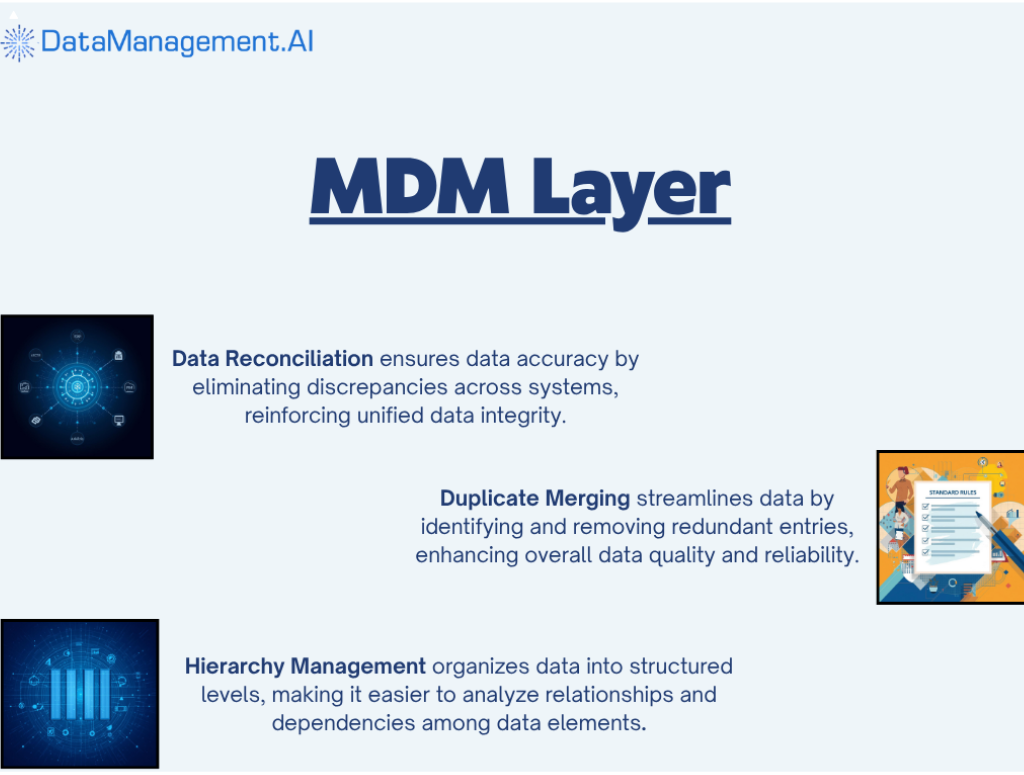
It ensures consistency and governance across the entire ecosystem. MDM is like a keeper of all the data as it is responsible for reconciling data conflicts, merging duplicates, managing hierarchies, taxonomies, and relationships.
MDM also standardizes the data (meaning it assigns a term and value to the SKU) so that the ERP, CRM, PIM, and other systems and platforms reflect the same product ID.
Without Master Data Management, there won’t be a golden record for all the data.
One of the best platforms to rely on for this function is DataManagement.AI.
Its MDM capabilities are designed to create a single, authoritative record for all your key business entities: products, customers, and suppliers.
The platform automatically pulls raw records from transactional systems and CRMs, matches them using unique identifiers like SKUs, emails, or tax IDs, and merges duplicates intelligently.
It also enriches your data using external reference sources, such as postal address validation, so you know your records are not only clean but also accurate.
E-commerce platform
Finally, come the e-commerce platforms like Shopify, Wix, Big Cartel, etc. This is the ultimate layer, as it’s not only your online store but also the place where you get to know if all the efforts paid off.
This is where the polished data from your PIM gets displayed to customers.
How it works is that the ERP feeds platforms the pricing and stock data, the PIM provides the product content, and the MDM ensures that everything is aligned.
Item Master Data Management: Best practices for retail
Let’s be honest: no retailer wakes up excited to “clean the master data.” But if you’ve ever spent a week fixing SKU mismatches across Excel sheets, you know why good data management matters.
So here’s how to fix that, once and for all. These are the practices that separate retailers who struggle with their data from those who actually use it to win.
First, centralize and choose the right system
In most retail businesses, product data is everywhere, like in ERP systems, supplier sheets, old databases, and sometimes even in random folders that no one’s updated in months. The problem isn’t just scattered files; it’s that every team ends up working with a slightly different version of the truth.
That’s why the first real step toward managing item master data is centralization.
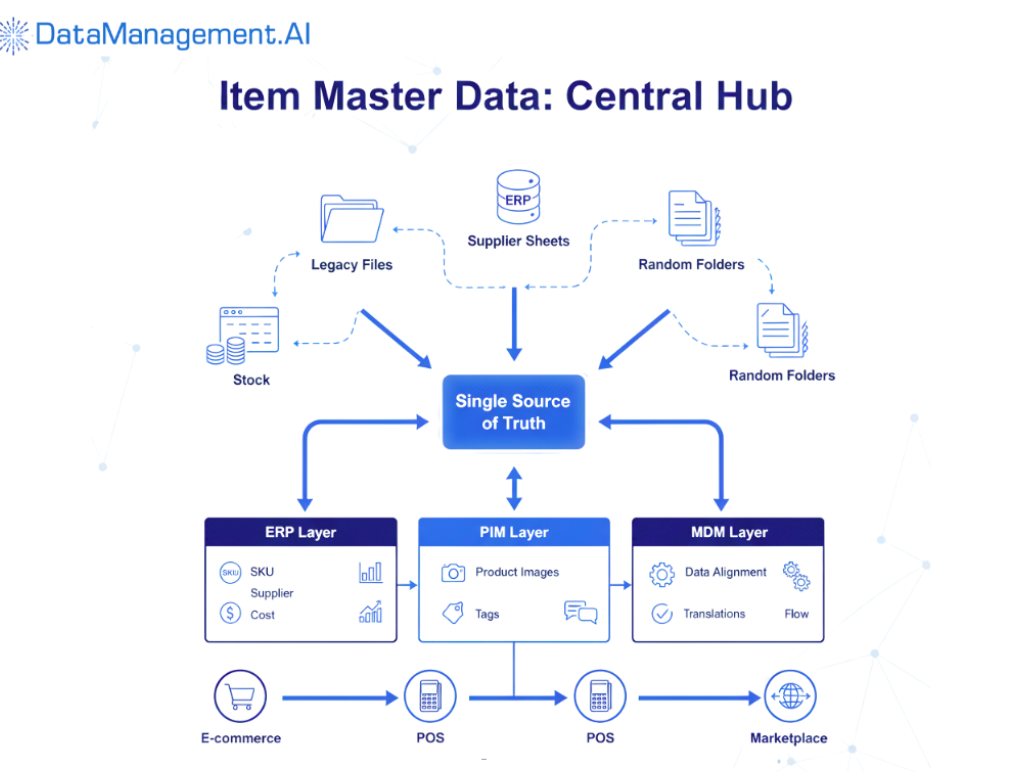
Every product, from a pen to a pair of shoes, needs a single, reliable source where its details live. This isn’t about ditching your existing systems; it’s about connecting them through a master hub that keeps all versions consistent and current.
Here’s how most retailers break it down:
ERP handles the operational and financial side, like SKU numbers, supplier details, purchase costs, and stock movements.
PIM manages how the product is presented to the world, like names, descriptions, images, tags, and translations.
MDM connects these layers, ensuring that whatever flows into your e-commerce platform, POS, or marketplace is accurate and aligned.
Choosing the right mix depends on your size and data complexity.
Some businesses go for an MDM-PIM hybrid (like Pimcore or BetterCommerce) because it helps manage both the technical and customer-facing details in one flow.
Whereas, smaller setups might start with a PIM system that integrates well with their ERP, then expand as data needs grow.
Centralization also helps every department stay aligned.
For example, operations know what’s available, marketing knows how to describe it, finance is clear about the costs, and customers can see the same product, no matter where they shop.
Second, standardize attributes and taxonomy
Here’s the thing about product data.
It only works if it’s standardized. When every team names or categorizes things differently, you don’t just end up with really confusing spreadsheets; you end up with chaos across your entire retail ecosystem.
Every attribute, from color and fabric to SKU code and category, needs a fixed structure. Not because it looks neat, but because it keeps every system, every channel, and every partner aligned.
So, start with attribute templates. Each product type should follow a defined schema. If you sell T-shirts, decide what’s non-negotiable: size, color, fit, fabric, neckline, sleeve type, or price. The moment these templates are enforced, your catalog is sorted.
Then there’s naming consistency. It is one of the most underestimated parts of data management. “Navy Blue,” “Dark Blue,” and “Blue” might mean the same thing to a human, but not to a search engine or your PIM.
Pick one label, document it, and make it a rule everyone follows. That single act can improve how products appear in search results, recommendations, and reports.
And don’t forget mandatory fields. Every SKU needs a baseline like description, image, price, and stock status. Letting incomplete data slip through, thinking it will be fixed later, is a silent killer for most retail teams.
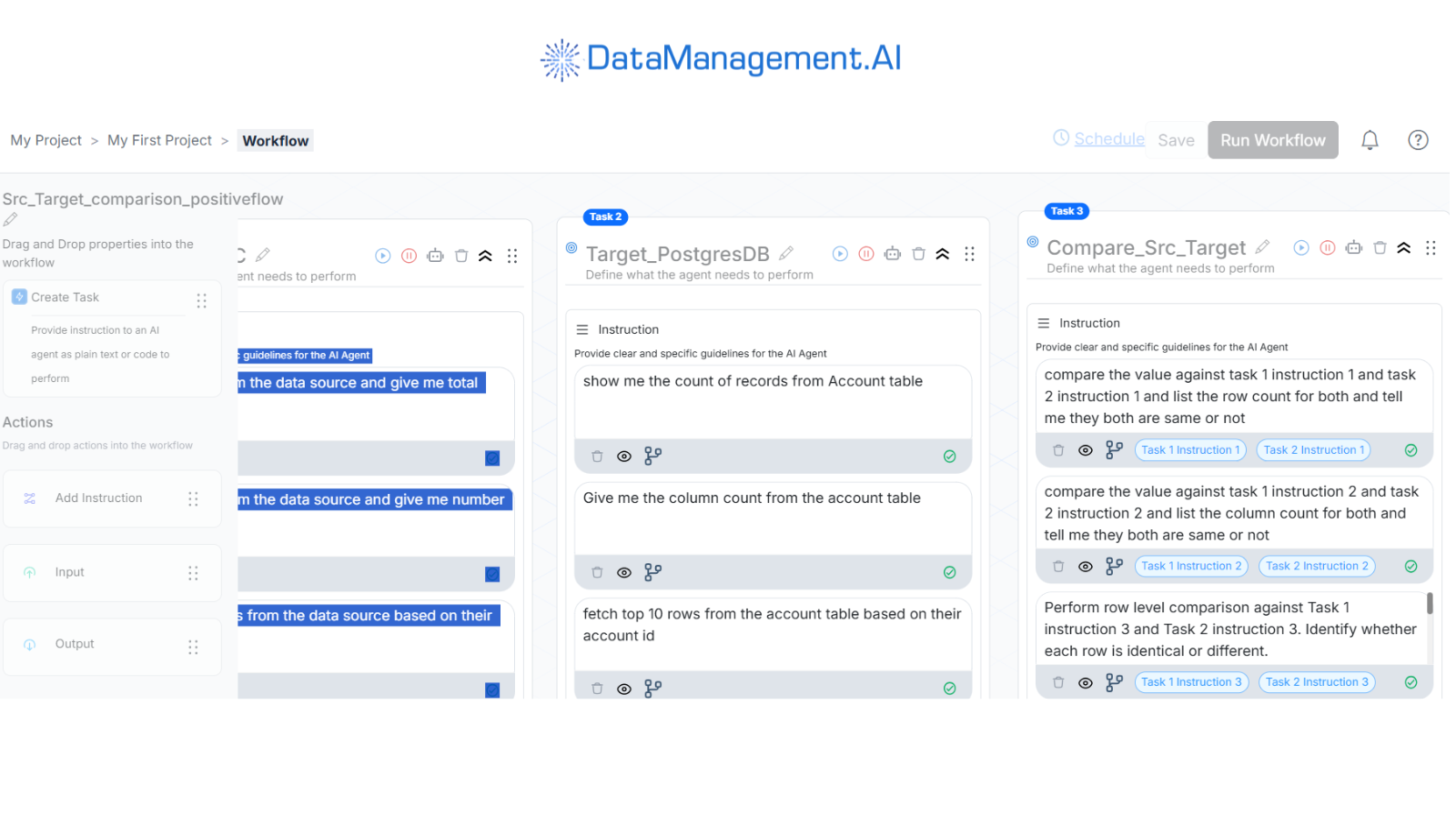
Here’s where DataManagement.AI changes the game. Instead of relying on someone to manually check for missing fields or inconsistent values, our ‘Data Quality Monitoring’ feature continuously audits your product data in the background.
It pulls validation results, historical error logs, and timestamped metrics to build a unified quality dashboard showing exactly where things are breaking and how they trend over time.
And the best part is that it scales with you. Whether you’re adding 500 new SKUs or updating old ones, your data will stay clean, consistent, and validated throughout.
Once standardization is in place, taxonomy brings it all together.
It’s the structure that tells your systems where each product belongs.
A strong taxonomy keeps navigation smooth, filters accurate, and reports meaningful. So, you don’t need to fix your website search every month because products end up where they’re supposed to be.
Third, adopting global standards (GS1, GTIN, UPC)
So, if standardising attributes makes life easier for your internal teams, adopting GS1 standards makes life easier for everyone else you work with.
GS1 is the backbone of how products are identified and tracked across the retail world. It’s where GTINs (Global Trade Item Numbers), UPCs (Universal Product Codes), and EANs (European Article Numbers) originate (the numbers printed beneath every barcode you’ve ever scanned).
GS1 gives every product a unique, global identity. A GTIN assigned in your system means that the same identifier will be recognised whether you’re selling on Amazon UK, Tesco, or Zalando.
So it removes the guesswork in the product matching part, reduces listing errors, and ensures that every item is standardized.
It keeps your supply chain cleaner and faster.
Even distributors can receive, track, and resell your products without re-entering details. In fact, third-party logistics partners can also trace goods without constant back-and-forth.
It also helps with traceability, which is becoming non-negotiable in modern retail. Whether it’s a food recall, a regulatory audit, or a sustainability report, GTINs make it possible to trace a product’s journey, like who made it, when it was shipped, and where it was sold.
Moreover, beyond all the operational gains, this adds a trust element. Consumers and regulators expect authenticity, and barcodes linked to registered GTINs act as proof of legitimacy, helping to prevent counterfeits and mislabelling.
So, while registering with GS1 might feel like another item on the compliance checklist, it’s actually a long-term investment in your brand’s integrity and scalability.
Fourth, defining roles and data ownership
There’s an unspoken rule in retail data management that everyone uses the item master, but no one owns it.
For example, marketing tweaks the descriptions for campaigns, procurement adds vendor codes, operations updates stock units, and the finance department adds a tax category. So, everyone leaves fingerprints, and when a data chain breaks, no one knows who caused it.
That’s where the chaos starts.
That’s exactly what happened to one of our clients, who is a mid-sized apparel retailer in Europe.
They were scaling fast, expanding to five marketplaces at once. But during their annual sale, customers started receiving the wrong variants, like blue shirts instead of black, incorrect sizes, and mismatched images. The returns shot up by 40%, and what was supposed to be their biggest sale season turned into a month of refunds and reputation damage.
When we dug in, the issue was governance, or rather, the lack of it.
We found out that marketing had uploaded new product descriptions before the data team finished validating SKUs. Even supply chain teams had outdated item codes, and nobody knew which version was “final.” In short, there was no clear data owner.
Our team helped them fix this by distributing ownership, and the issue was fixed.
In a typical setup, there’s usually:
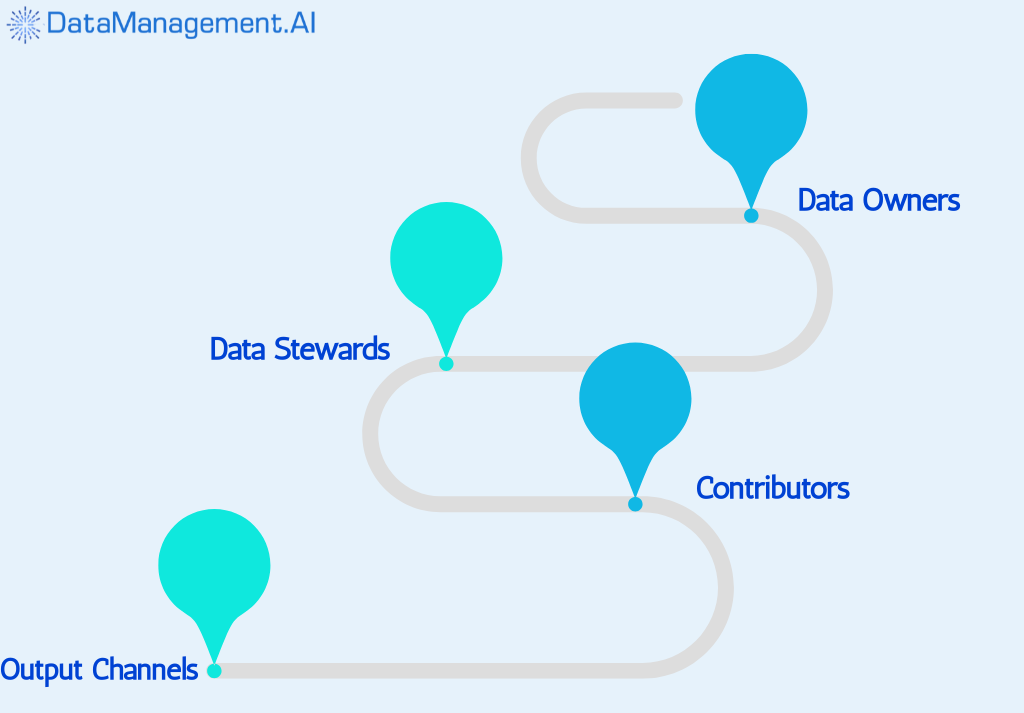
Data owners who are senior folks (could be in merchandising, supply chain, or product management) who own a domain, like “product” data. They define what counts as good data: naming conventions, required fields, and quality thresholds.
Data stewards ensure data entries meet standards, review anomalies, and handle approvals for changes. They are the data quality gatekeepers.
Then, there are contributors who input and update data from buyers, category managers, and content teams. Their job is to keep entries accurate, but they don’t set the standards or approve final values.
However, roles don’t stop at titles.
You will also need SLAs (Service Level Agreements) and processes.
For example, new SKUs must be entered into the item master within 48 hours of approval, images must be live within 24 hours of ownership hand-off, and discontinued items must be flagged within 24–48 hours so they don’t appear on web or mobile channels incorrectly.
It’s these small, time-bound rules that keep data fresh and trustworthy.
Fifth, automating enrichment and managing digital assets
Let’s be honest.
No retailer has the time (or patience) to manually fill out product descriptions, upload hundreds of images, or double-check every SKU attribute. At scale, that’s not just tedious, it’s dangerous, because one missing detail can ripple across your e-commerce listings, POS systems, and even warehouse labels.
That’s where automated enrichment is needed. Actually, it’s necessary.
What it does is instead of treating the catalog like a static spreadsheet, it turns it into a living, self-updating system. When a new product enters the database, the system doesn’t wait for someone to type out every feature.
It can pull verified specs, materials, weights, and even compatibility details directly from trusted data pools or manufacturer databases.
The same goes for multilingual markets, so product descriptions, size charts, and safety instructions can be automatically translated and localized based on region.
But don’t get it wrong. The goal isn’t to replace people with automation, but to make sure humans aren’t stuck doing what machines are better at, like filling blanks and copying data.
Teams still validate tone, relevance, and brand consistency.
And that brings us to digital assets.
Every product photo, video, or user manual carries as much weight as the data itself. Data shows that products with at least six high-quality images convert 58% better online (hoping this blog does too), and listings that include videos see up to 30% higher engagement rates. This is because visuals are no longer supporting material; they are the experience.
Retailers now manage this deluge of media through integrated Digital Asset Management (DAM) systems within their PIM or MDM stack.
They version and tag every photo, render, and instruction manual properly and ensure that they stay in the same place.
Finally, orchestrating workflows and syndicating data
Now, let’s talk about what happens after your data is clean and enriched.
The real challenge now is getting it everywhere it needs to be, without losing consistency. That’s where workflow orchestration and syndication come in.
Most retailers today run on a complex mix of systems: an ERP for inventory, a PIM or MDM for product content, an e-commerce platform, and maybe a few marketplaces.
Now, just imagine having to update one product detail across all those systems manually. You’d spend hours doing it, and still risk missing one.
In fact, nearly 57% of retailers admit their product updates take over a week to reflect across all channels. That’s where orchestration changes the game.
Workflow orchestration simply means connecting all those systems so they can handle all the tasks independently.
For example, the moment a new SKU is created in your ERP, it triggers a sequence. The MDM checks whether it meets data quality rules (no missing category, price, or image).
Once it’s cleared, the PIM picks it up for enrichment, adding lifestyle images, translations, tags, maybe even SEO descriptions. When the product is approved, the PIM sends it everywhere it needs to go: Amazon, Shopify, POS, or even partner resellers.
The next part is syndication.
It is the process of pushing your curated data to every channel your customers might interact with. So, if you tweak the description of your best-selling sneakers in the PIM, syndication ensures that the change ripples across all e-commerce platforms and your brand site in real-time.
And in retail, timing is everything.
The legal & compliance part
Here’s the not-so-fun truth about retail data: it’s not just about organizing SKUs and uploading pretty product images. You’re also playing by a lot of rules, like labeling laws, safety standards, data privacy policies, and industry regulations.
So, let’s start with labeling.
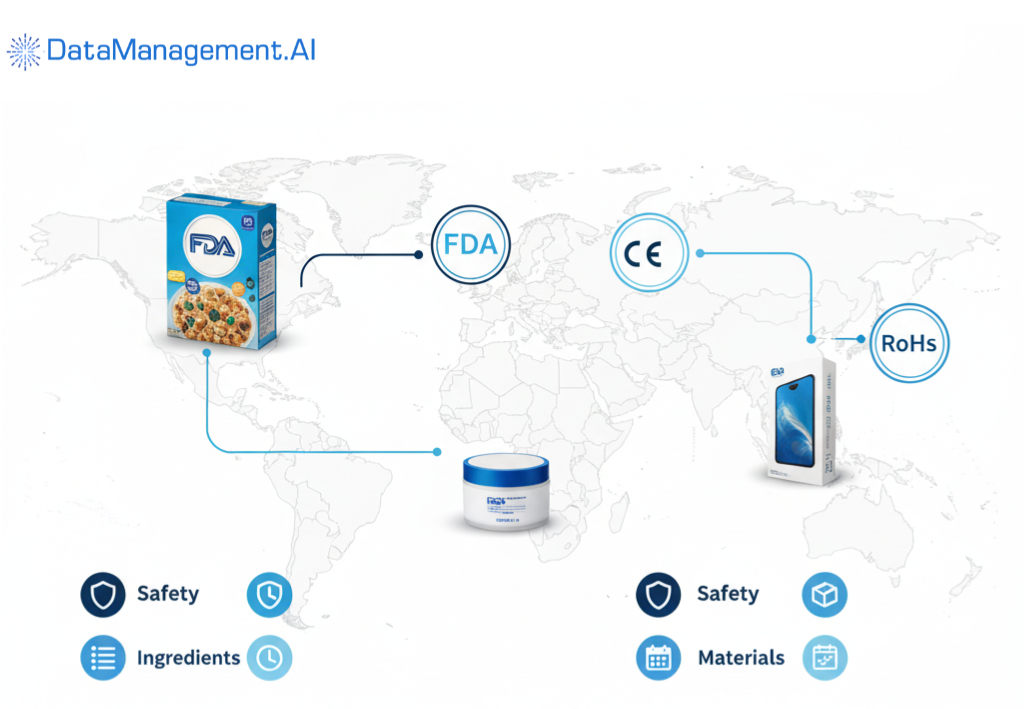
Every product you sell comes with its own checklist of what needs to appear on its label: ingredients, materials, origin, warnings, expiry dates, certifications, etc. If you’re selling packaged food, cosmetics, or electronics, the rules are strict.
And if you’re selling abroad, there’s a whole new set of standards (FDA, CE, RoHS, etc.).
For example, California has Proposition 65, which requires warnings about potentially harmful chemicals. Similarly, different states in the same country can have separate laws, and retailers have to abide by each of them.
Next up are regulated product attributes.
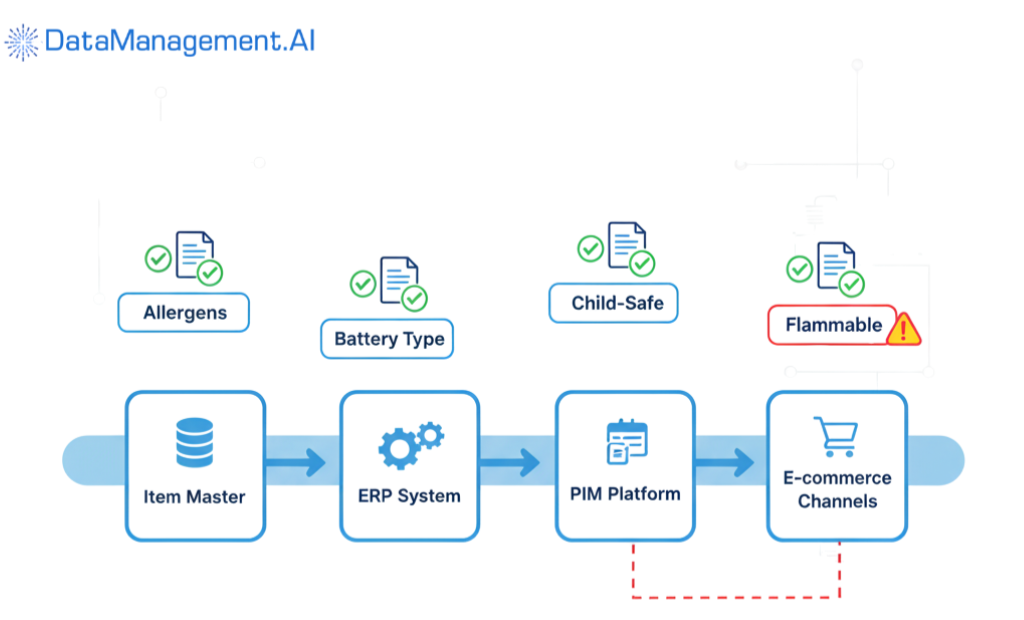
These are the fields that aren’t optional, like allergens, chemical compositions, battery details, or material safety. E-commerce platforms like Amazon or Flipkart already enforce some of these through mandatory attribute fields, but if your internal Item Master isn’t aligned, your data pipeline will constantly break.
For instance, a “child-safe” tag or a “flammable” label can’t just be marketing fluff; those must link to certified test reports or compliance documents. That’s where a master data setup helps. It ensures that regulated attributes are validated, version-controlled, and linked to real evidence.
Then there’s privacy, which gets overlooked in retail more often than you’d think.
If any of your product data ties back to a person via customizable items with names, images, or measurements, it enters the zone of personal data.
Under laws like GDPR (Europe), you can’t just store or process that casually. Even something as small as retaining a customer’s design preferences for a personalized T-shirt needs consent and a clear data retention policy.
The same goes for vendor data, influencer photos, or user-generated content linked to your products.
Lastly, there are also environmental and sustainability disclosures.
Many countries are tightening reporting standards around eco-labels, recyclability, and carbon footprint claims. If you say “100% biodegradable” or “cruelty-free,” you need traceable data to prove it.
In short, legal compliance isn’t a box you tick; it’s a necessity.
Quick-win checklist
Here’s your fast-action checklist to get your item master in shape without any complications:
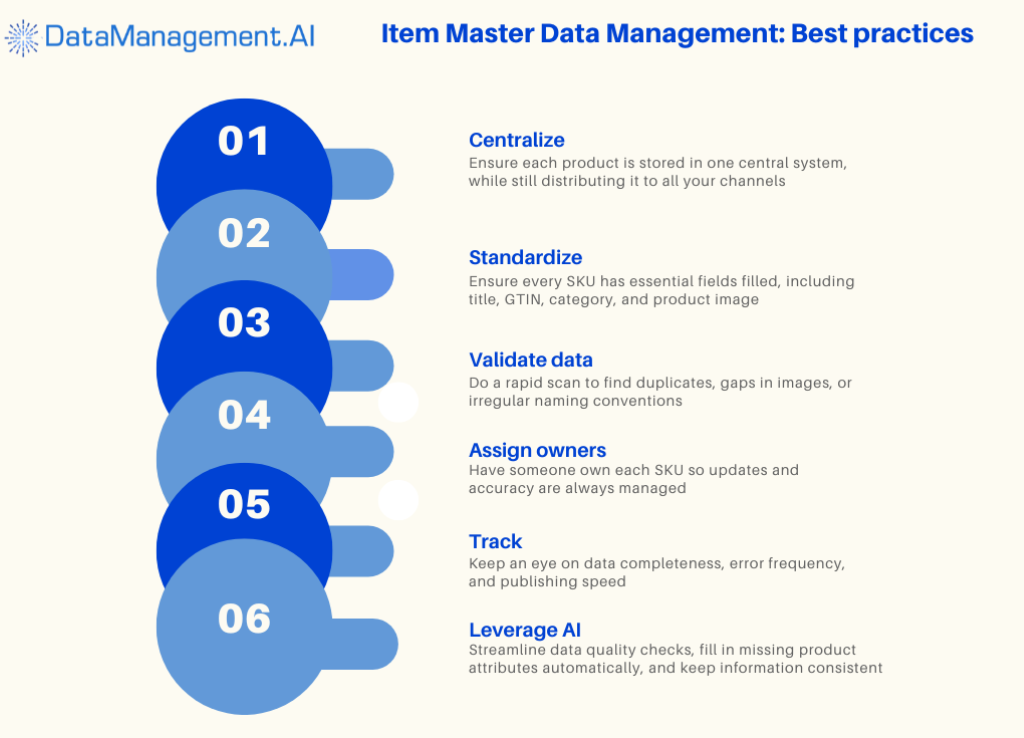
1. Centralize your SKUs: Make sure every product resides in a single system, even if it feeds multiple channels.
2. Standardize attributes: Set required fields like title, GTIN, category, and image for every SKU.
3. Validate & clean data: Run a quick audit to catch duplicates, missing images, or inconsistent naming.
4. Add valuable content: Descriptions, images, and specs should be complete for at least your top-selling products.
5. Assign owners: Someone should be responsible for each SKU, including updates and accuracy.
6. Track metrics: Monitor completeness, error rates, and time-to-publish for continuous improvement.
7. Leverage AI for automation: Use DataManagement.AI to automate quality checks, enrich missing attributes, and ensure consistency across all systems, saving hours of manual work.
So, instead of wasting your time on repetitive tasks, schedule a demo with us and sort out all your data problems now.